Skip to content
LVL2
Less admin
Appointment schedulingLet clients request time, pay deposits, and get reminders.Booking formsCustom intake without the DM screenshot pile.EventsHost flash days, conventions, and guest spots.
More money
Deposits + paymentsReduce no-shows and last-minute cancellations.FlashUpload, organize, and book flash effortlessly.StoreMerch, prints, flash, and studio goods.
Other bits
ArtistsBrowse artists and point clients at the right work.BBP certificatesBloodborne pathogens training, certs, and verification.MapGet found by clients searching by place.ExchangeSell artist tools, templates, and education.
What's new in LVL2LVL2 illustrated shop stack with booking, walk-ins, team, merch, and paymentsOne shop stack, cleaner handoffs.Booking, flash, Store, clients, and payments under one roof.
ArtistsStoreExchangeConventionsPricingFAQ
Categories
What's NewBusiness of TattooingArtist StoriesNewsAll articles
Comparison table of tattoo booking apps and their core featuresGuidesBest Tattoo Artist Booking Apps in 2026What actually matters before you switch booking apps.Flash day planning table with deposit cards and a calendarEvent PlanningHow to Run a Flash Day That Actually Sells OutPlan, price, and promote a flash day that fills the books.Tattoo deposit policy setup on a booking screenBusiness OpsSet Up Your Deposit Policy in MinutesCut no-shows with a deposit policy that protects your time.Digital tattoo client intake form preview on a tabletBusiness TipsTattoo Client Intake Form: What to AskThe questions every tattoo intake form should ask, and why.Reference photo converting into a clean tattoo stencilAI & ToolsAI Stencil Tools for Tattoo ArtistsTurn a reference into a clean, usable stencil, fast.Before-and-after of a tattoo artist's first-year studio setupBusiness of TattooingTattoo Artist Year One: Survival GuideSet the systems up before year-one chaos hits.
ContactBBP Certs
Sign InStart Booking
Features
Appointment schedulingLet clients request time, pay deposits, and get reminders.Booking formsCustom intake without the DM screenshot pile.EventsHost flash days, conventions, and guest spots.Deposits + paymentsReduce no-shows and last-minute cancellations.FlashUpload, organize, and book flash effortlessly.StoreMerch, prints, flash, and studio goods.ArtistsBrowse artists and point clients at the right work.BBP certificatesBloodborne pathogens training, certs, and verification.MapGet found by clients searching by place.ExchangeSell artist tools, templates, and education.
Blog
What's NewFresh LVL2 updates and launch notes.Business of TattooingDeposits, pricing, and money leaks.Artist StoriesHow working artists run the chair.NewsPlatform updates and industry notes.All articlesBrowse every LVL2 guide and teardown.Best Tattoo Artist Booking Apps in 2026What actually matters before you switch booking apps.How to Run a Flash Day That Actually Sells OutPlan, price, and promote a flash day that fills the books.Set Up Your Deposit Policy in MinutesCut no-shows with a deposit policy that protects your time.Tattoo Client Intake Form: What to AskThe questions every tattoo intake form should ask, and why.AI Stencil Tools for Tattoo ArtistsTurn a reference into a clean, usable stencil, fast.Tattoo Artist Year One: Survival GuideSet the systems up before year-one chaos hits.
Explore
ArtistsStoreExchangeConventionsPricingFAQContact
Theme
Sign InStart Booking

Get started

Start bookingBrowse artistsTattoo conventionsLVL2 ExchangeLog in

Features

Tattoo booking softwareTattoo booking appBooking requestsPayment statusFlash eventsLVL2 ExchangeSMS automationWaivers

Compare

All comparisonsLVL2 vs BooksyLVL2 vs VagaroLVL2 vs SquareLVL2 vs Venue InkLVL2 vs Tattoodo

Company

AboutFAQContactsupport@lvl2.ink(606) 386-1808204 E Mount Vernon St
Somerset, KY 42501
Terms of servicePrivacy policyRefund policyCancellation policy
LVL2

Built for artists, by an artist.

Built by Russell Cain

© 2026 LVL2. All rights reserved.
ENESPTFR
TermsPrivacyFAQSupport
Download on theApp StoreGet it forAndroid
EXCHANGE

Procreate 3D Tattoo Models for Placement Previews

May 5, 2026 · 5 min read

You have seen artists import 3D body models into Procreate, drop tattoo art on the surface, rotate it, and screenshot the placement. LVL2 is making that workflow easier to grab through Exchange.

Procreate 3D Tattoo Models for Placement Previews

You Have Seen This Workflow

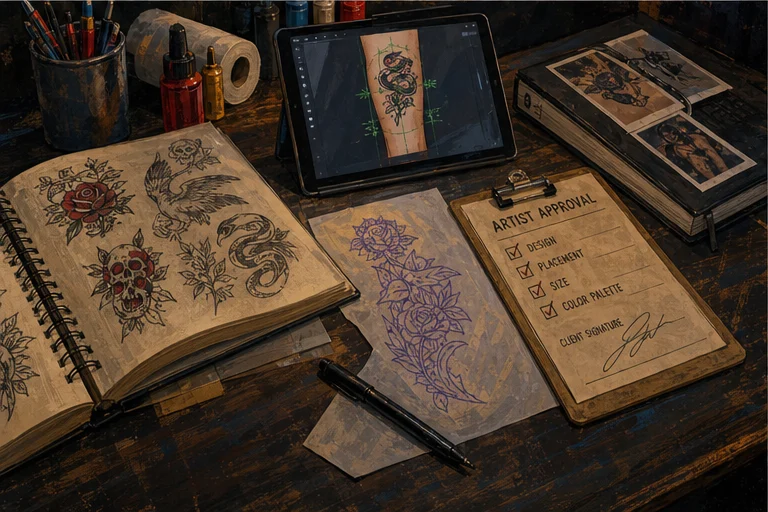
Illustrated tattoo drawing, stencil, placement, and digital tool workflow
The best tools support the physical tattoo workflow without replacing the artist's decisions.

You have probably seen the screenshots.

An artist opens Procreate, imports a 3D arm, leg, torso, hand, or back model, drops tattoo art onto the surface, rotates the model, and sends the client a placement preview before the appointment.

It looks simple because the output is simple: a clear screenshot that says, "This is what the design could feel like on this part of the body."

The annoying part is getting the model files.

Most artists end up hunting through random download folders, old links, half-broken OBJ files, and model packs that were not built for tattoo placement. Some import cleanly. Some have bad UVs. Some are missing texture files. Some work once and then disappear into Files.app forever.

So LVL2 turned that messy little workflow into an Exchange pack.


What the LVL2 Exchange Pack Is For
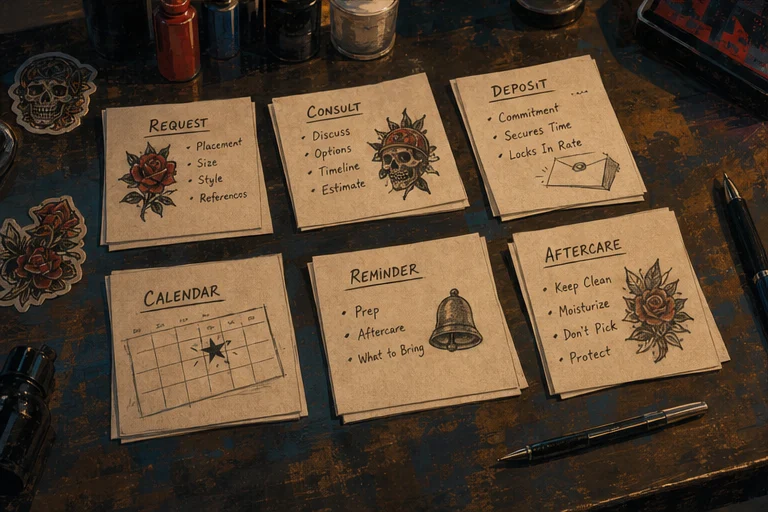
Illustrated tattoo booking workflow cards arranged across a studio workbench
A strong booking flow keeps the request, consult, deposit, appointment, and follow-up connected.

The LVL2 Procreate tattoo placement pack is built for artists who want a faster way to show placement options before a client commits.

Use it when you need to:

  • preview a forearm wrap before drawing the final stencil
  • show whether a thigh piece needs more vertical space
  • compare hand, arm, torso, or leg placement
  • send a client a quick visual during consultation
  • turn "I cannot picture it" into something concrete

This is not a magic design machine. It is not replacing your eye, your drawing process, or your judgment.

It is a practical model pack for one job: getting tattoo ideas onto body-shaped surfaces so the conversation gets clearer.


Why OBJ Files Matter in Procreate
Illustrated tattoo artist growth desk with sketchbooks, client notes, and studio records
Sustainable growth comes from craft, client care, and business habits improving together.

Procreate's own handbook says 3D Painting imports .USDZ and .OBJ files. It also says any model you paint on needs a UV map attached.

That matters for tattooers because a random 3D model is not automatically useful. A model can look good in a preview image and still be bad for painting if the surface is not unwrapped cleanly.

For tattoo placement previews, the file needs three things:

  • a body-part shape that makes sense for tattoo flow
  • a UV map Procreate can paint on
  • any required texture or material files kept with the model

That is why the LVL2 Exchange pack is being organized with a manifest, file hashes, and licensing notes instead of being dumped into a mystery zip.

Reference: Procreate 3D model import docs.


What Is In the Pack

The LVL2 Exchange bundle includes OBJ body-model files pulled into one organized package.

The model set includes common tattoo placement surfaces:

  • arms
  • legs
  • hands
  • feet
  • torsos
  • full-body models
  • head models

Each file is tracked in a manifest with its original source path, file size, hash, and material references.

That sounds nerdy because it is. But it matters. If a model is going to live in Exchange, artists should know what they are downloading and LVL2 should know what is safe to publish.


How Artists Use It

The basic workflow is straightforward.

Download the model pack from LVL2 Exchange. Save the OBJ files to your iPad. Open Procreate. Import the model. Paint or place the tattoo concept on the surface. Rotate the model. Take screenshots. Send the cleanest views to the client.

Use it before a consult when the placement is uncertain.

Use it after a consult when the client needs a visual before paying a deposit.

Use it when a design has to wrap, curve, or sit on a body part where flat mockups lie.

Flat mockups are fine for flash sheets. Body placement needs a body.


What This Does Not Solve

A 3D model will not tell you whether the tattoo is good.

It will not solve anatomy, movement, aging, line weight, skin tone, or whether the client is asking for too much detail in too little space.

That is still you.

The model only helps with one part of the job: showing the design in context early enough to avoid confusion later.

If a client says, "I thought it would be smaller," "I thought it would wrap more," or "I could not imagine it there," a placement preview gives the conversation something real to point at.


Why This Belongs in LVL2 Exchange

LVL2 Exchange exists for artist resources: practical files, tools, templates, flash packs, and workflow helpers that make the tattoo business easier to run.

This pack fits because placement previews sit right between creative work and booking work.

You make the preview. The client understands the idea. The request gets cleaner. The booking moves forward with less back-and-forth.

That is the whole point.

Not more software theater. Less friction between the art and the appointment.


Download the Placement Pack

The Procreate 3D tattoo placement pack is live on LVL2 Exchange.

Download the model bundle, import the files into Procreate, and start making placement screenshots for your own consultation flow.

Start here: LVL2 Procreate 3D Tattoo Models on Exchange.

If you are already using Procreate for tattoo design, this is the missing little folder you wanted the first time you saw those 3D placement screenshots.

Open the official LVL2 Exchange launch pack

Use the LVL2 Exchange launch pack for tattoo-native reference, placement, and digital product workflow guidance.

Open LVL2 Exchange
Topics:EXCHANGE
Share
Next reads

Keep reading

Stay in the same problem space. These are the articles most likely to help with the next decision.

  • AI & TOOLS6 min readAI Stencil Tools for Tattoo ArtistsAI can speed up the mechanical stencil step. The artist still decides what belongs on skin.Read next
  • EVENT PLANNING7 min readHow to Run a Flash Day That Actually Sells OutFlash days still work when the logistics are tight. This guide focuses on the parts that actually decide whether the day runs cleanly or collapses into manual admin.Read next