
Private Studio vs Walk-In Shop Booking Workflows
Private studios and walk-in shops operate completely differently. Here's how the booking workflows compare — and what it means for your business.

Private Studio vs Walk-In Shop: Two Booking Models
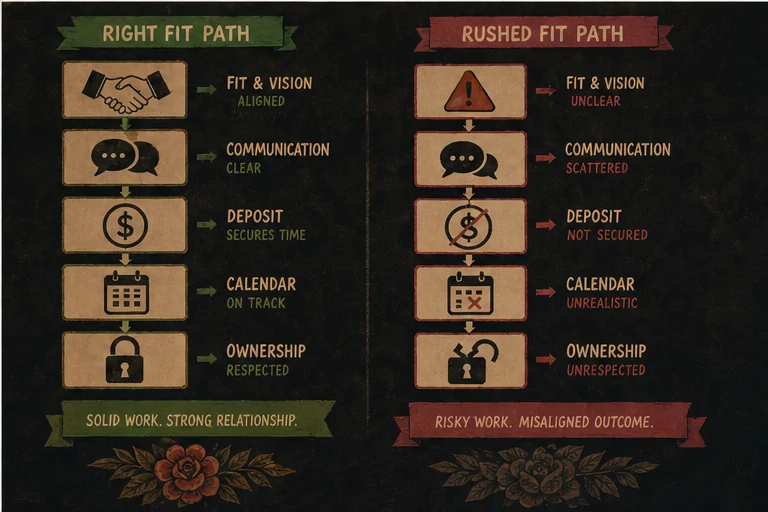
A tattoo studio is a tattoo studio, right? You book clients, you tattoo, you collect money.
Not quite. The difference between running a private studio and working in a walk-in shop affects every part of your booking workflow: how clients find you, how you confirm appointments, how deposits work, and how you handle the walk-ins who don't need an appointment at all.
If you're setting up a booking system for either model—and especially if you're moving from one to the other—you need to understand what each actually needs.
What Makes a Walk-In Shop Different
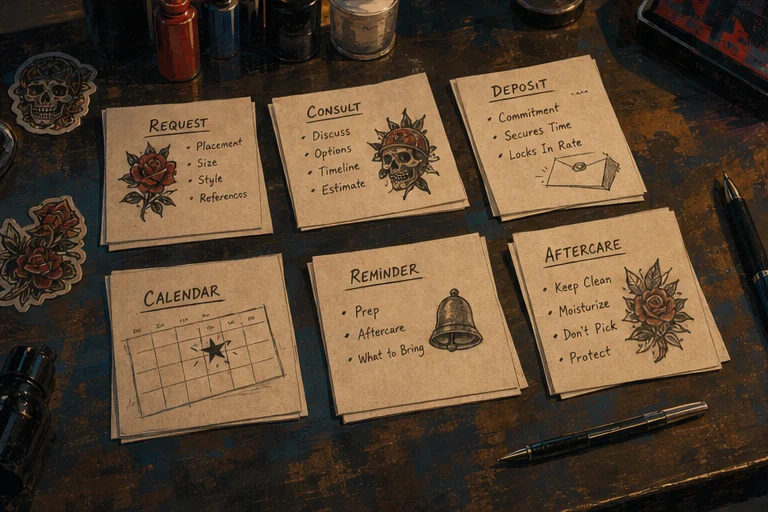
A walk-in shop operates on volume and accessibility. Clients walk in, pick an artist or request a piece, and get tattooed the same day or within a few days. The booking model is different from a private studio in a few fundamental ways:
No fixed calendar. Walk-in slots are open slots. You don't know who's coming on Tuesday at 2pm—you know you have three artists available and clients might show up.
Deposit logic is different. Some walk-in shops take deposits for reserved time; others don't at all, since the turnover is fast and the commitment threshold is lower.
Client intake happens at the counter. You're not pre-screening clients through a booking form—you're taking walk-in requests and qualifying them in person. This changes what your intake process looks like.
Multi-artist complexity. Most walk-in shops have multiple artists with different availability, styles, and booking preferences. A client who wants a Japanese sleeve from one artist doesn't necessarily care that three other artists are available.
The relationship is different. Walk-in clients often don't have a prior relationship with the artist. They saw the shop, they walked in. That changes trust dynamics and the intake conversation.
What Makes a Private Studio Different

A private studio is appointment-only by design. You control your calendar, your clients come prepared, and the relationship is built before they sit in the chair.
Fixed calendar, fixed clients. You know who's coming and when. Your day is structured around confirmed appointments, not open slots.
Deposits are standard. Since you're blocking dedicated time for a specific client, deposits are the norm, not the exception. No-shows hurt more because you've turned away other potential bookings.
Deep intake is possible. Because the appointment is booked days or weeks in advance, you have time to do proper consultations, collect reference images, and plan the tattoo before the session.
One artist, one calendar. You manage your own schedule. No coordination with other artists on shared space. What you see on your calendar is what you have.
Client relationship starts before the appointment. Most private studio clients have followed the artist, seen their work, and reached out specifically. They arrive pre-qualified.
Booking Workflow Comparison
| Workflow Element | Private Studio | Walk-In Shop |
|---|---|---|
| How clients find you | Instagram, portfolio, referrals | Shop sign, walk-in, local search |
| Appointment type | Scheduled, pre-booked | Same-day or short-notice |
| Deposit required | Almost always | Sometimes |
| Intake timing | Before appointment | At counter |
| Calendar visibility | Individual artist | Shared shop calendar |
| Multi-artist routing | N/A (one artist) | Client → available artist |
| Cancellation handling | Policy with deposit | Usually no deposit = no penalty |
| Client relationship | Pre-existing | Created at counter |
The Intake Form Question
One of the biggest differences between the two models is what your intake form needs to capture.
Private studio intake can be thorough: you've got days or weeks before the appointment, so you want reference images, placement photos, size estimates, style direction, and any relevant medical history. The form is your pre-consultation.
Walk-in shop intake needs to be fast: you're at the counter, the client is standing there, you need enough to know if you can do the work and what it costs. Reference image upload is useful but the session is happening today—so you need medical clearance, signature on a waiver, and basic project info.
For a walk-in shop, the intake form is less about screening and more about documentation. For a private studio, it's about preparation.
Multi-Artist Complexity in Walk-In Shops
If you're running or managing a walk-in shop with multiple artists, booking gets more complicated fast.
You need a shared calendar that shows:
- Which artists are available
- What styles each artist works in
- Current wait times per artist
- Walk-in queue vs pre-booked slots
You need routing logic: When a client walks in asking for a fine-line botanical piece, who do they see? If you have one fine-line artist, you route to them. If they're booked out, do you offer another artist or turn the client away?
Artist availability changes daily. Unlike a private studio where your calendar is set, a walk-in shop needs a system that reflects today's reality—not last week's booking sheet.
This is where booking software designed for multi-artist shops actually matters. A shared inbox, a live availability board, and intake forms that route to the right artist are the core tools — plus a front-desk check-in kiosk for the walk-in queue and a convention mode for when the whole shop goes on the road.
Deposit Differences
Private studio deposits serve two purposes: they cover your cost if the client ghosts, and they signal real commitment. Since you've turned away other bookings to hold this time, the deposit is justified.
Standard deposit approach for private studios: fixed amount or percentage, collected at booking, applied to the session total, forfeited if they cancel inside the policy window. (For the actual numbers, see how to price your tattoo deposit.)
Walk-in shop deposits are more situational:
- Some shops take a deposit to reserve a same-day or next-day slot
- Some take a deposit for large pieces that require custom design work
- Some don't take deposits at all and just collect payment at completion
The math is different when turnover is high. A no-show at a private studio costs you a full blocked session. A no-show at a walk-in shop might cost you one of six chairs that would have been filled by the next walk-in anyway.
What Each Model Actually Needs From a Booking System
Private studio needs:
- A public booking page that showcases your work and collects intake information
- Deposit collection that integrates with your calendar
- Automated reminders (reduces no-shows on pre-booked appointments)
- A clear cancellation and rescheduling policy
- A client management system that tracks your relationship over time
Walk-in shop needs:
- A shared calendar that shows multiple artists' availability
- Walk-in queue management—whether that's a first-come-first-served board or a check-in system
- Quick client intake: waiver signature, medical questions, basic project info
- Multi-artist routing so clients get to the right artist fast
- Point-of-sale for same-day payment collection
- Reporting across artists: who's booking what, revenue per artist, popular styles
Moving From One Model to the Other
If you're a private studio artist thinking about adding walk-in capability—or a walk-in shop artist setting up your first appointment-only lane—here's the honest version of what changes:
Private to walk-in: You need to open up your calendar. That means accepting that not every slot will be a fully-qualified pre-booked client. Your deposit policy may need to soften. Your intake process needs to work fast at the counter. And you need to be comfortable with a different kind of client relationship.
Walk-in to private: You need to start collecting deposits, building pre-appointment intake, and managing a calendar that reflects confirmed bookings only. The volume drops; the commitment level rises. Your per-client revenue might go up even as your total client count goes down.
Which Booking Workflow Fits Your Studio
If your day is appointment-first — consults, custom pieces, deposits, blocked-out sessions — you're running a private-studio workflow. You need a booking page that handles intake and deposits before anyone walks in, and a calendar that protects long sessions.
If your day is foot-traffic-first — walk-ins, a queue, fast turnaround, multiple chairs — you're running a walk-in workflow. You need check-in and queue tools at the front desk more than you need a deep intake form.
Most shops are some blend of both, and the booking system has to flex. That's the actual test: not "private vs walk-in" in the abstract, but whether your tools handle the mix you actually run on a Saturday.
The Common Mistake
Artists moving from walk-in to private often make one mistake: they try to run their private studio like a walk-in shop. They leave their calendar open, don't enforce deposit requirements, and treat every inquiry as a walk-in.
The result: the same chaos they had at the shop, just with more setup time and less volume.
Private studio works when you treat it like a business with a reservation system—not a place where people show up and see what happens.
Choose the right booking setup for your studio
LVL2 supports both private studio and multi-artist shop workflows — configure your booking system to match how you actually work.
Try LVL2 Free